What is spread?
It lets you expand any iterable (like an array or string) in an array or function parameters, or expand any object into another object.
By now, we’ve seen plenty of spread examples (React, Redux, etc)
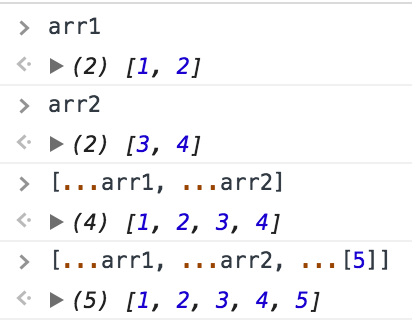 Combining arrays with spread
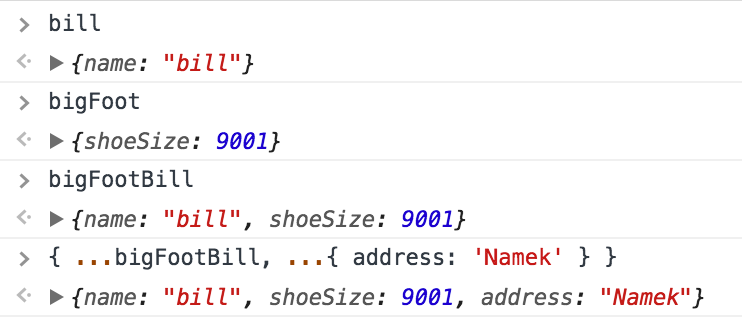 Combining objects with spread
Let’s dive deeper into each one.
We’ll create a function called identity that just returns whatever parameter we give it.
identity = (arg) => arg
And a simple array.
arr = [1, 2, 3]
If you call identity with arr, we know what’ll happen
 identity returns whatever you give it
But what if you spread (can I use it as a verb?) arr into identity?
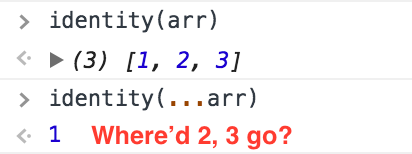
Wait, where’s 2 and 3? identity’s holding out on us!
Mmm, probably not. Something else is going on here. Let’s use my favorite tool for analyzing next-gen JavaScript code: the Babel REPL.
REPL stands for Read, Evaluate, Print, Loop, meaning, “I’ll read/evaluate your code and print the result as many times as you want–like a loop.” A browser’s JavaScript console is a REPL, for example. Instant feedback.
Alright, head over https://babeljs.io/repl/ and view the REPL in all its glory. You enter code on the left, and its transformed by Babel and printed on the right.
 Make sure to check the es2015 option to have your code properly transformed
Let’s add our initial code
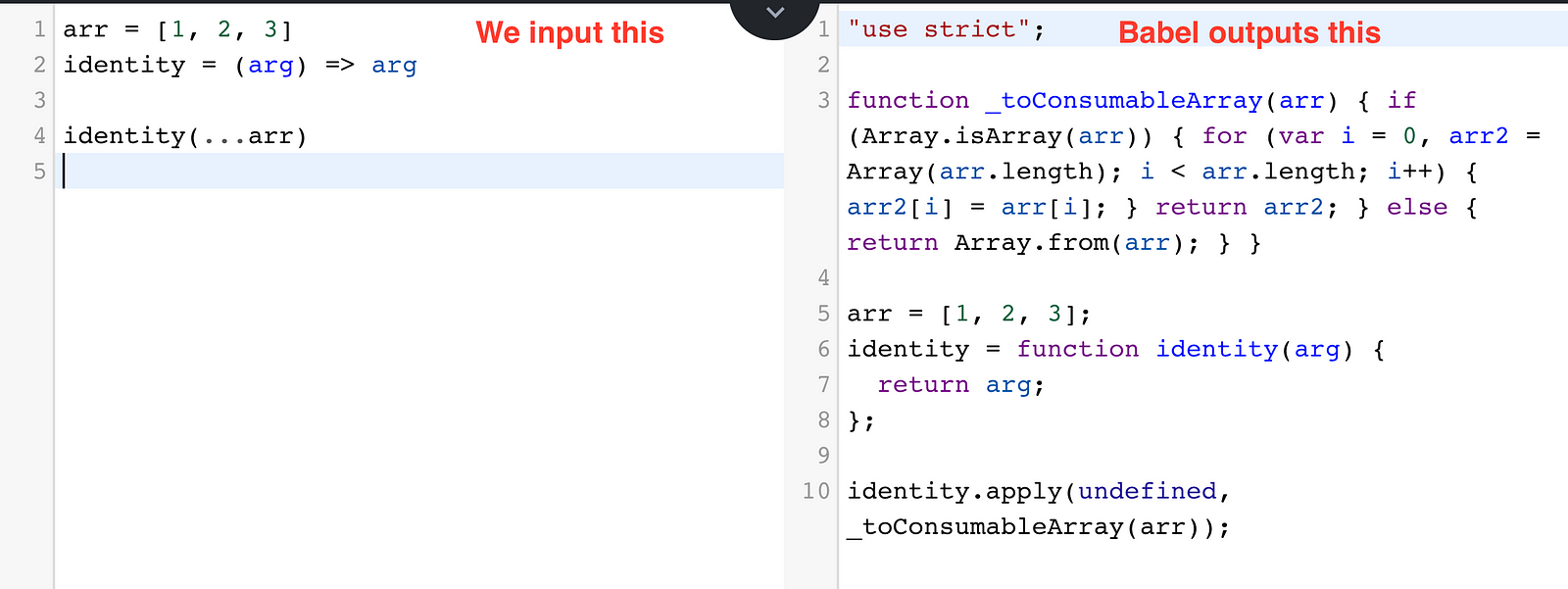
Whoa _toConsumableArray, what’s that? Let’s expand and restructure it.
function _toConsumableArray(arr) {
  // if it's already an array
  if (Array.isArray(arr)) {
    // create a new array
    // of the same length
    var newArr = Array(arr.length);
    var i = 0;

    // and populate it with the
    // original's contents
    for (i; i < arr.length; i++) {
      arr2[i] = arr[i];
    }

    return arr2;
  } else {
    // If it's not an array,
    // turn it into one
    return Array.from(arr);
  }
}
Okay cool… If we have an array return a new copy, otherwise, make an array out of it. But something’s still not adding up here…
Why did identity(…arr) return 1?!
_toConsumableArray returns an array. identity returns whatever you give it. We should’ve gotten an array!
Look further down in the REPL’s output.
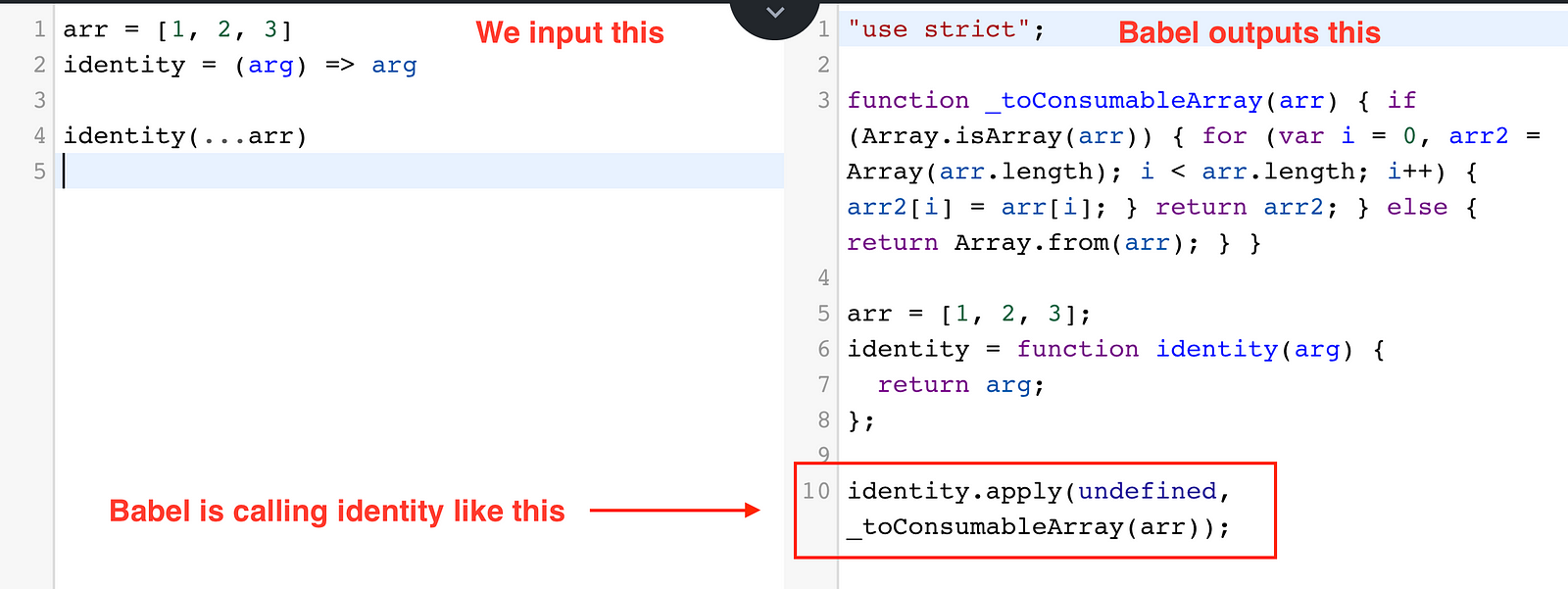
identity.apply(undefined, _toConsumableArray(arr))
Interesting…
You can use apply to invoke a function and pass it parameters, sure…but why not just use identity(_toConsumableArray(arr))? Isn’t that easier?
The first sentence:
The
apply()method calls a function with a giventhisvalue, andargumentsprovided as an array (or an array-like object).

That makes so much sense. apply takes an array of params and feeds it to your function one by one.
// 1
identity.apply(undefined, [1, 2, 3]);
is the same as saying this
// 1
identity(1, 2, 3);
and NOT this
// This says identity([1, 2, 3])
// which is **NOT** the same
identity(_toConsumableArray(arr));
And in JavaScript, extra parameters are thrown away.
combineWords = (one, two) => `${one} ${two}`;

// 'big sandwich'
combineWords('big', 'sandwich');

// 'now' isn't used
// still returns 'big sandwich'
combineWords('big', 'sandwich', 'now');
See that? We kept getting 'big sandwich' because combineWords only accepts two arguments. Any others are thrown out.
If you want identity to return all of its arguments, use the rest syntax to get the rest of them. 👏
restIdentity = (...args) => args;
restIdentity(...arr); // [1, 2, 3]
This uses rest to capture all params in an array. Since we spread [1, 2, 3], Babel turned it into
restIdentity.apply(undefined, [1, 2, 3]);or
restIdentity(1, 2, 3);Quick recap:
- When using spread in function calls, Babel “fakes it” by wrapping your arguments in
_toConsumableArrayand invoking your function’sapplymethod to…apply them. 👏 - Since
identityonly returns the first argument, passings params withapplywill only return your first argument. All others are discarded. - If you’d like
identityto capture all parameters in a single array, use rest syntax:(…params) => params
That’s one mystery solved! So what actually happens when you combine arrays using spread? Using our earlier example:
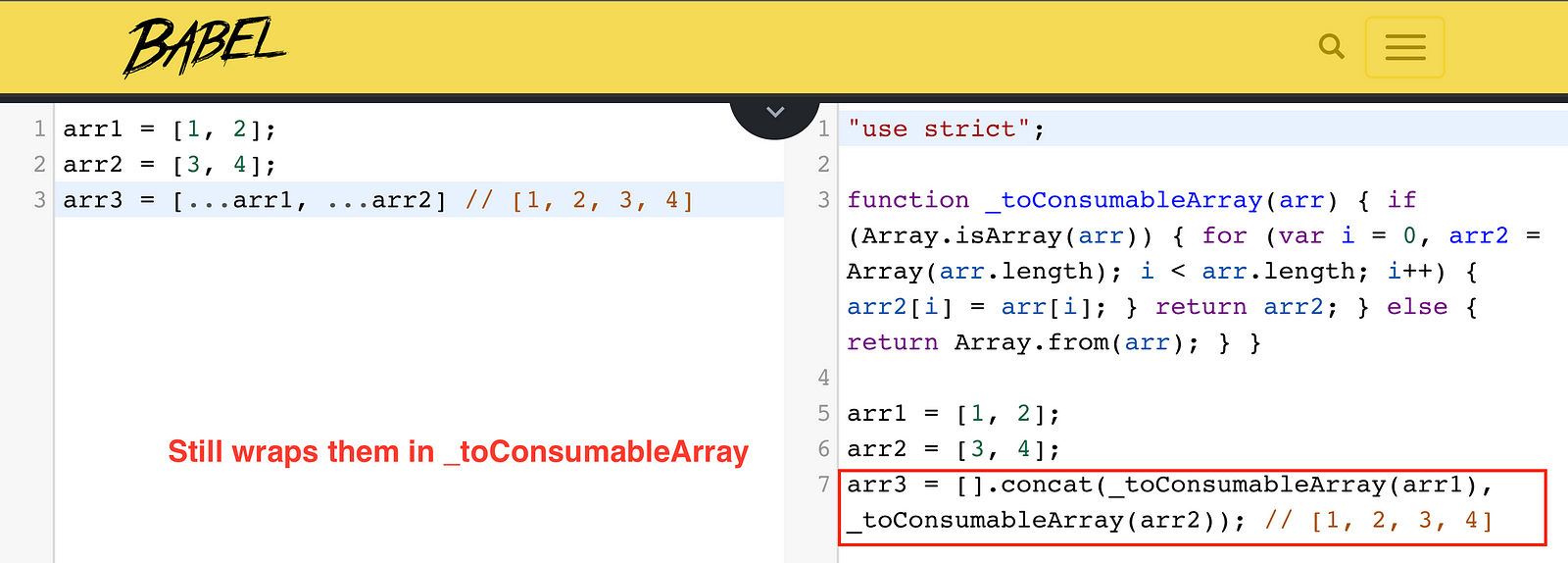
Okay, our arrays are still wrapped in _toConsumableArray and then concatenated to an empty array using the concat method.
Once again, ❤️ MDN Docs:
The
concat()method is used to merge two or more arrays. This method does not change the existing arrays, but instead returns a new array.
Nice. So however many arrays we combine, concat returns a new array with the end result.
What about objects?
Arrays and objects aren’t the same- Captain Obvious
I’m predicting that _toConsumableArray won’t suffice when we’re using spread on objects. Let’s see what our good friend, REPL, has to say.

I broke it
Whoops, I forgot to mention: make sure to select any of the stage-x presets.

I fixed it
So with that out of the way, let’s look at our newly generated code from when we entered bigFoot and friends.

I see a familiar face on line 3
Look very closely at line 3…
It’s Object.assign
Seems if you’re merging objects with spread, Babel looks for Object.assign in your browser. If Object.assign isn’t available, it falls back to a hand-written function.
I think we’ll get two gems for the price of one today.
By understanding that custom function Babel wrote, we’ll understand object spread and Object.assign at the same time!
Let’s restructure and play with this in DevTools
function fakeObjectAssign(target) {
  for (var i = 1; i < arguments.length; i++) {
    var source = arguments[i];

    debugger;

    for (var key in source) {
      debugger;

      if (Object.prototype.hasOwnProperty.call(source, key)) {
        target[key] = source[key];
      }
    }
  }

  debugger;
  return target;
}
Remember, Object.assign’s first parameter is the target.
Object.assign({}, bill, bigFoot);Here an empty object {} is populated with bill and bigFoot’s fusion. So you get a brand new object.
{ name: 'bill', shoeSize: 9001 }
So we’d like to use fakeObjectAssign the same way.

If you used our restructured fakeObjectAssign above, you should be looking at a debugger statement right now.
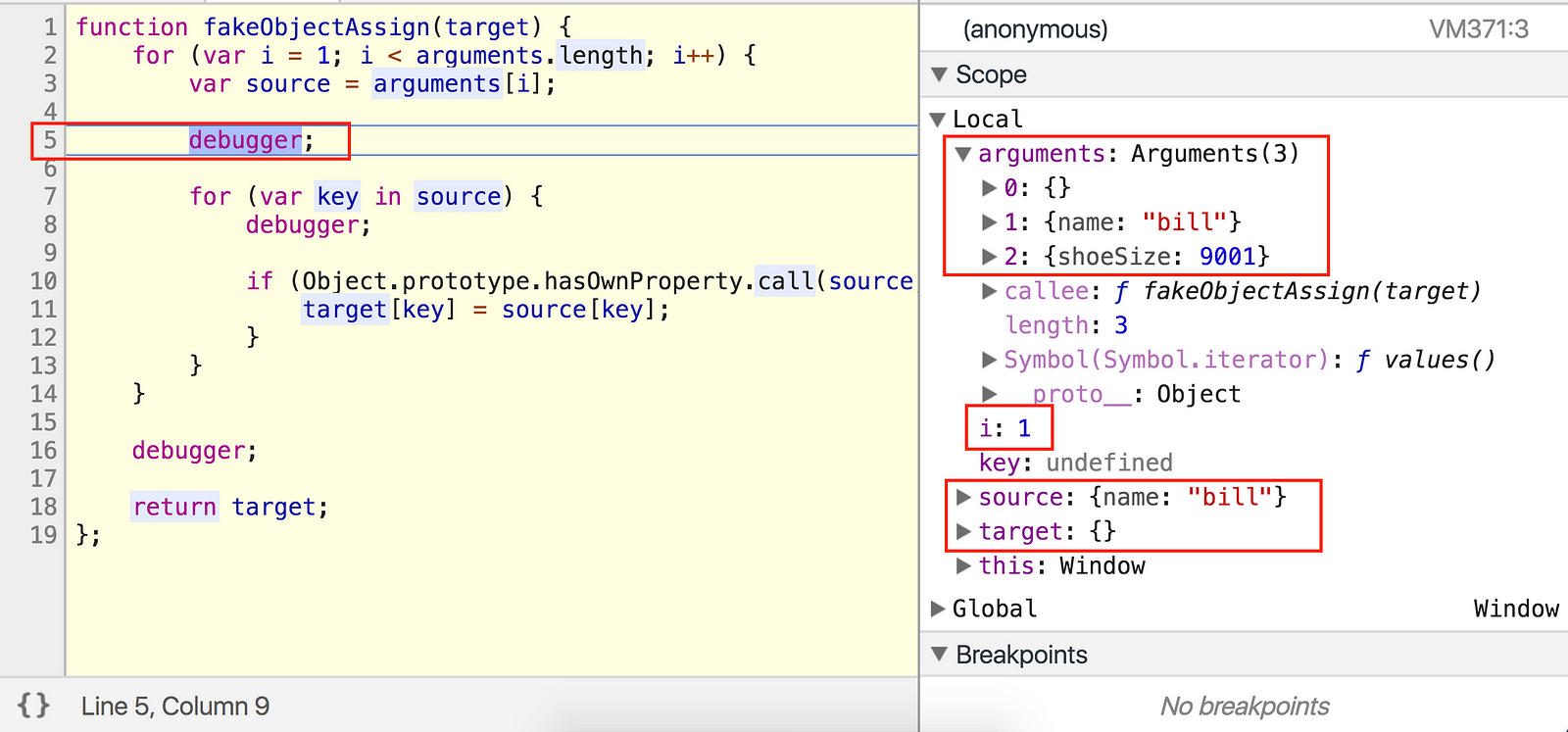
Let’s break this down a bit.
Our target is a brand-new object, and each argument after that is what we’re merging together. Once the merge’s complete, stick it all into target.
Remember how I mentioned using rest parameters to capture your arguments in an array?
restIdentity = (...args) => args;Pre-ES6 arrow functions, we used the arguments object.
function oldSchoolArguments() {
  return arguments;
}
For fun, I’ll do
oldSchoolArguments('Hello', 'World');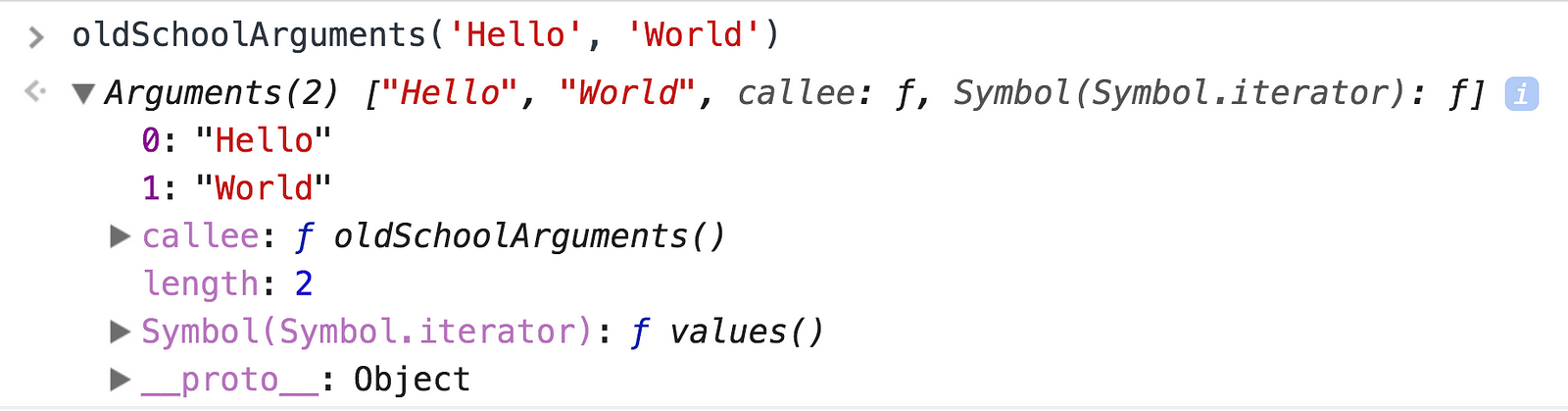
It’s not quite an array but it has indices, so its iterable. We can loop through it.
That’s what fakeObjectAssign does on line 2
for (var i = 1; i < arguments.length; i++)Wait, but arguments indices are zero-based, meaning the first argument’s in position 0. This loop skips the first argument!
Ahh but remember, target is at position 0, and we don’t want to touch it until we’re done merging everything else.
Looking at line 3, arguments[i] (the current argument) has been appropriately named source, because according to the docs, every argument after target is called a source object.
Now on line 7 it loops through the current source and does an interesting check
if (Object.prototype.hasOwnProperty.call(source, key)) {
  target[key] = source[key];
}
hasOwnProperty is a method on every JavaScript object that tells you whether or not that object has a certain property. Inherited properties don’t count.
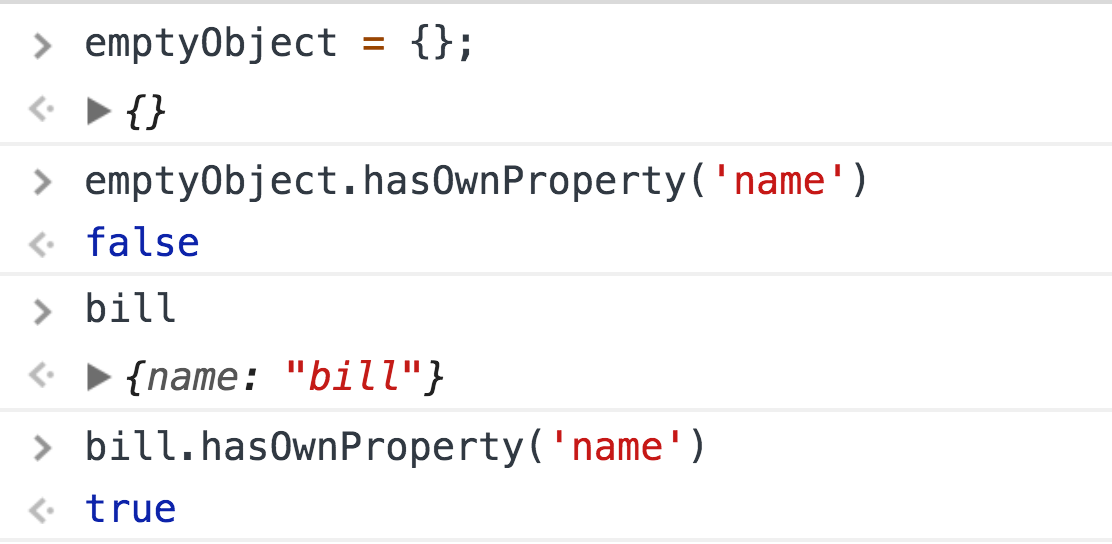
bill.hasOwnProperty('name') returns true because we directly defined name on bill. But what if bill inherits a method sayName?
function inherit(name) {
  this.name = name;

  inherit.prototype.sayName = function() {
    return this.name;
  };
}
I won’t cover prototypes in this post. If you’re unfamiliar with them, just understand that bill will inherit the sayName method. Further reading if you’re interested.
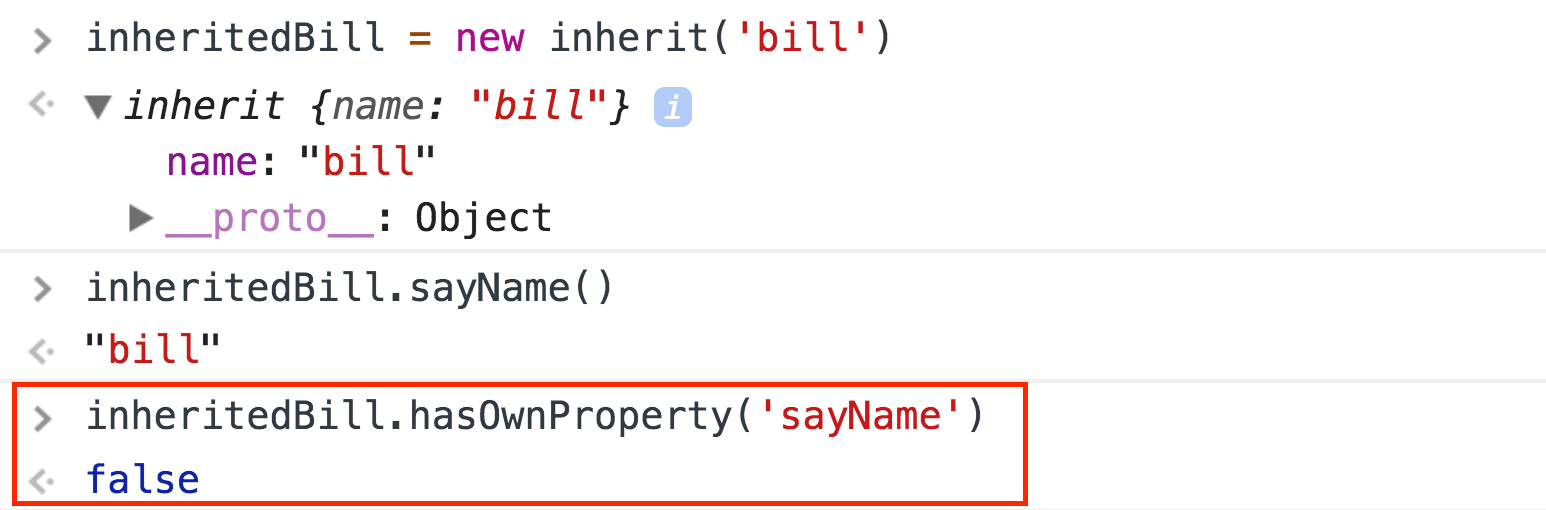
We’ve got the point across: hasOwnProperty only returns true for properties defined directly on that object.
Back to our loop:
if (Object.prototype.hasOwnProperty.call(source, key)) {
  target[key] = source[key];
}
If key was defined directly on source, copy it to target.
That’s it.
If that property was inherited from somewhere else, we don’t want it.
Similar to our .apply question above: why are we using .call instead of just source.hasOwnProperty(key)?
In a nutshell (from my understanding), it’s a safety-net against how a source object might’ve been created. If you’d like to dig deeper, see this awesome StackOverflow answer.
Let’s finish this!
Jump to the next debugger, and you see that target has a name property now. It’s bill!
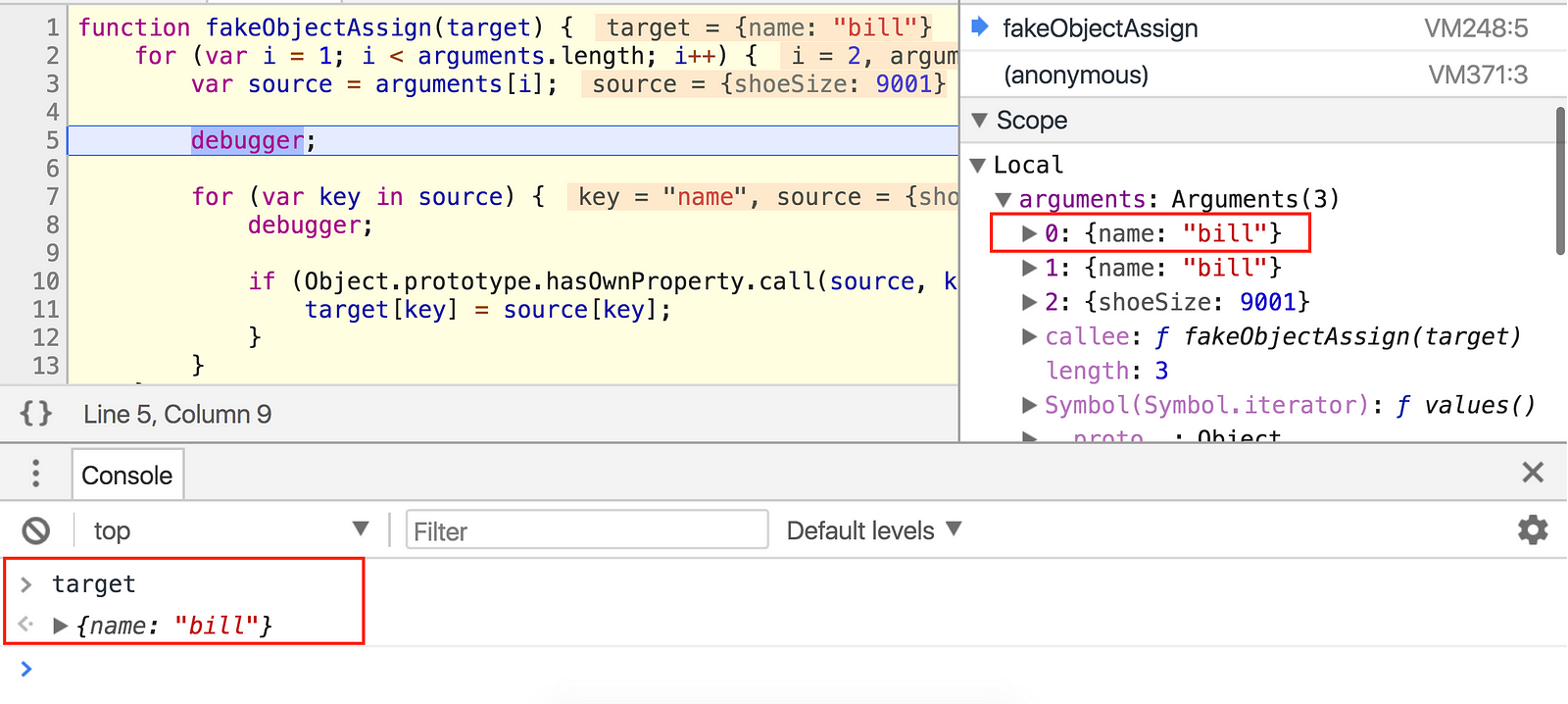 Bill! Bill! Bill!
On the next debugger (line 8), we’re evaluating bigFoot’s original properties

bigFoot does indeed have a shoeSize > 9000
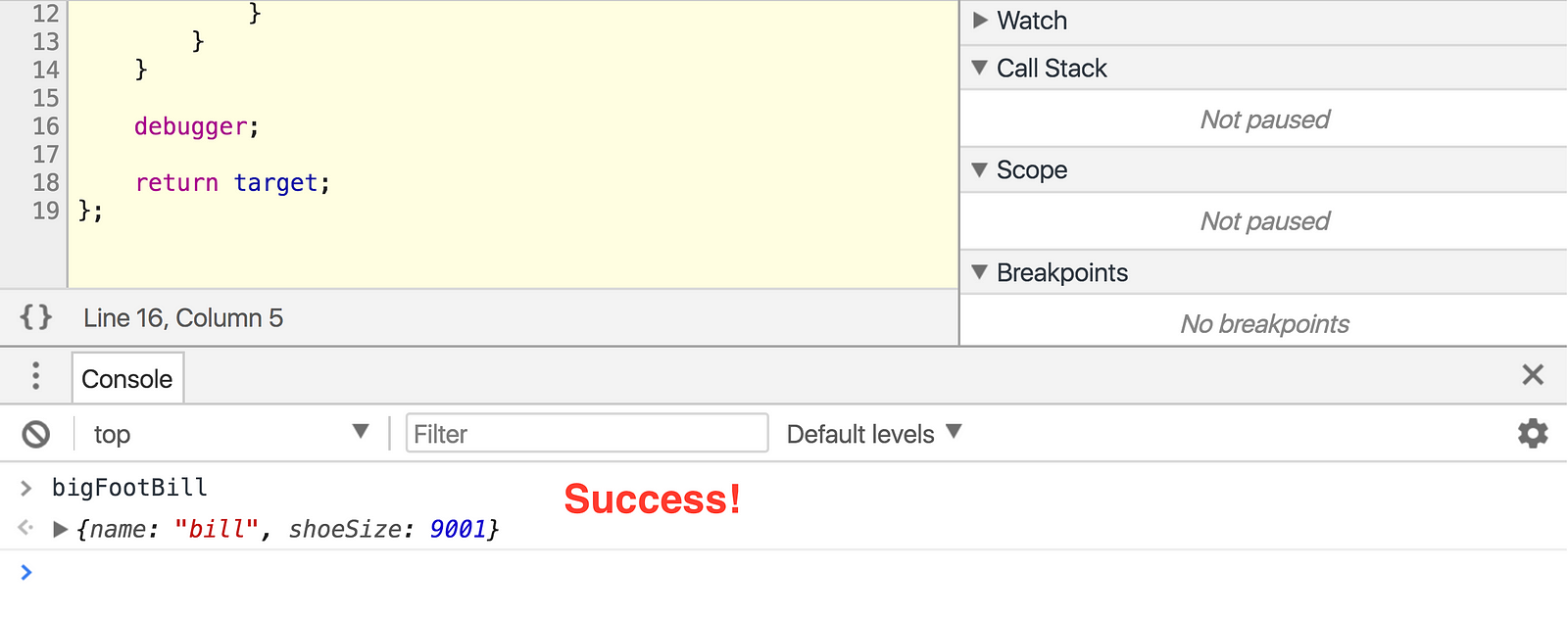
Jump to the next debugger and we’re on line 16, just before we return the target object. This means we’ve finished looping through each argument and its properties.
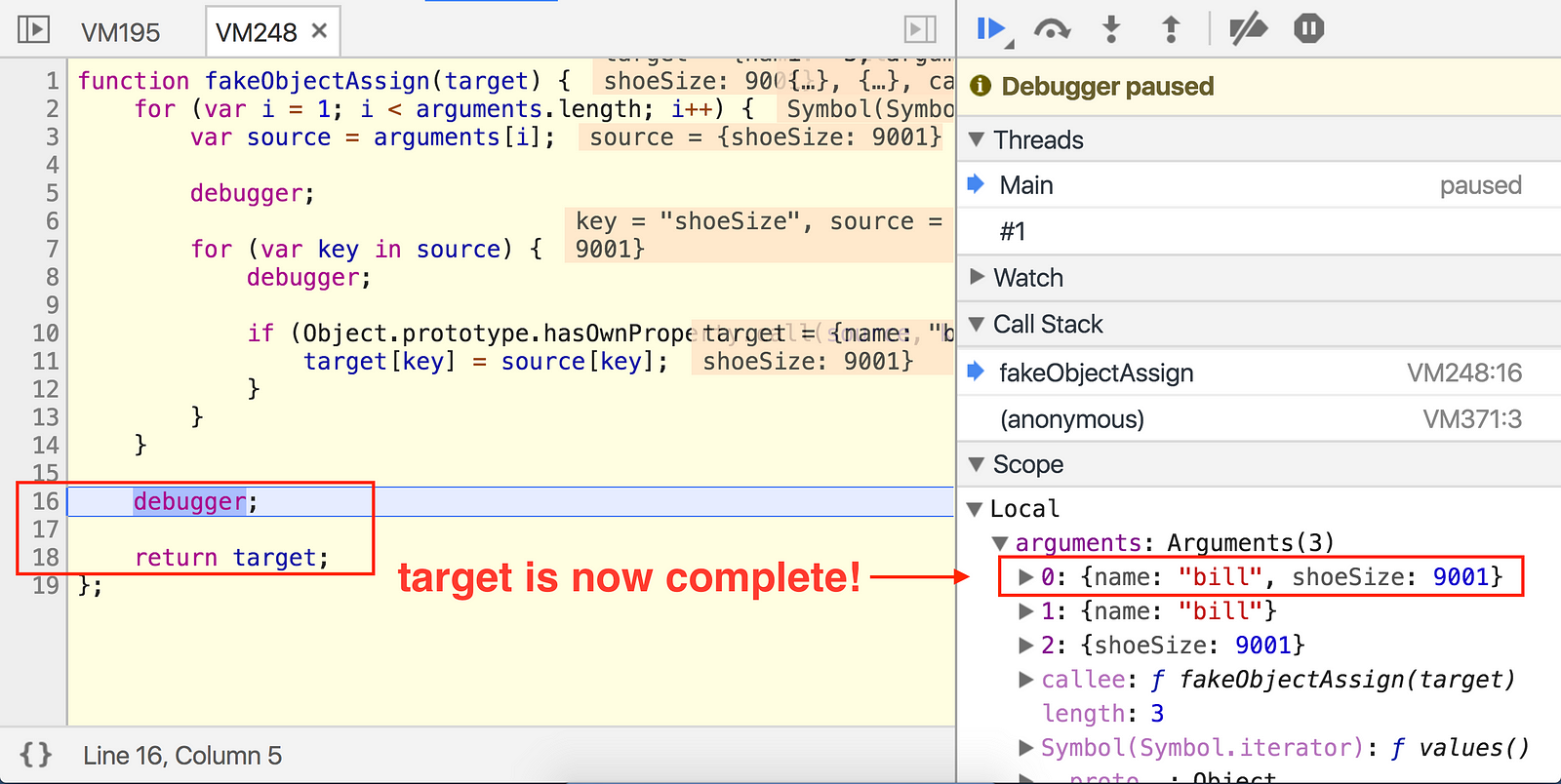
And bigFootBill has been successfully created.
Quick recap:
- Spread and
Object.assignare exactly the same regarding objects. Spread usesObject.assignif your browser supports it. Object.assign’s first parameter is thetargetobject, every parameter after that is asourceobject to be merged into thetarget.- Inherited properties don’t count. A
sourceobject’s property will only get merged if it was defined directly on thatsourceobject.
That was fun. I learned several new things writing this article, and couldn’t be happier that you stuck with me through all of it.
Until next time!